Go to your website, and at the end of the URL type /YourNewLoginPageName (This is different depending on your website). Then log in with your user name and password. You can reset your password if you have lost or forgotten it.

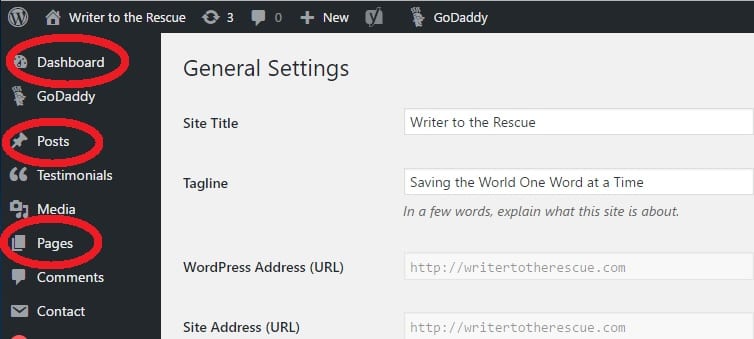
Once you are logged in, you will arrive at a page called “Dashboard.” The Dashboard is the control panel of the website. This is where you create and manage your content and see an overview of the details of your website. You have access to important menu options, like Posts and Pages, in the sidebar.