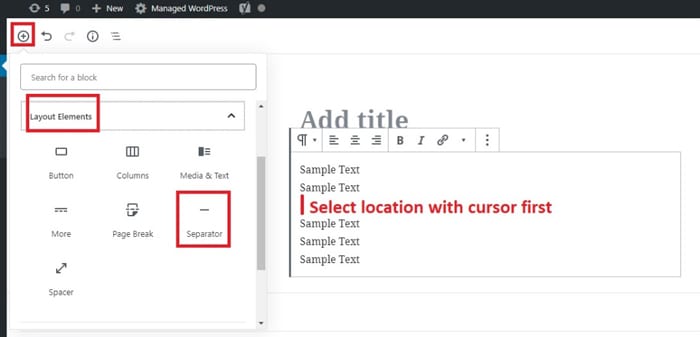
You can separate text and photos by placing a line between them. In the Classic Editor, this was known as an HR or spacer line. Place your cursor where you want to add a line, and click the plus sign “+” icon. Select the Separator block from the menu. At the right sidebar under the Block tab, you can click the down arrow at the Styles tab. Here you can select a short line, wide line or dots.