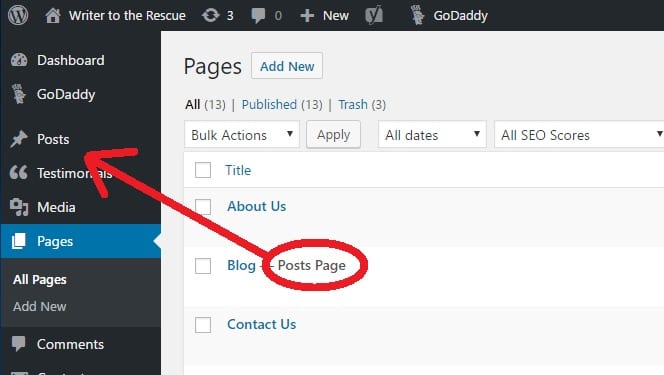
Mouse over Pages or Posts, found in the left sidebar, and select Add New. This will take you to the page editor where you can create your page or post.
Another page with a title extension will be your blog, and the extension will be “-Posts Page.” This is NOT where you post your blogs; you do that in Posts. This “-Posts Page” will capture your posts and put them in chronological order.