
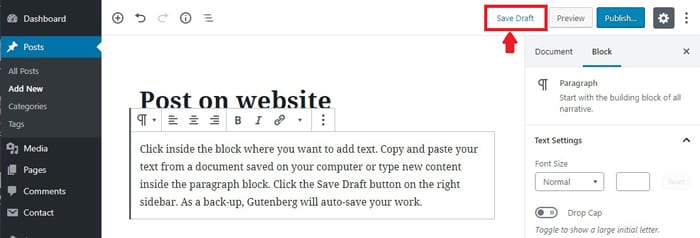
Click inside the block. Copy and paste your text from a document saved on your computer or type new content inside the paragraph block. Click the Save Draft button on the right sidebar. As a back-up, Gutenberg will auto-save your work.
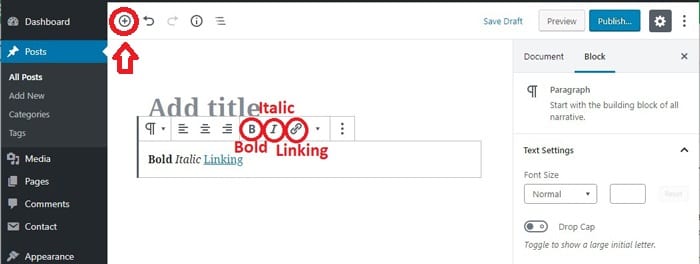
To edit the block it is similar to a Word document. Editing options appear just above the block. Formatting options include bold, italic and linking.
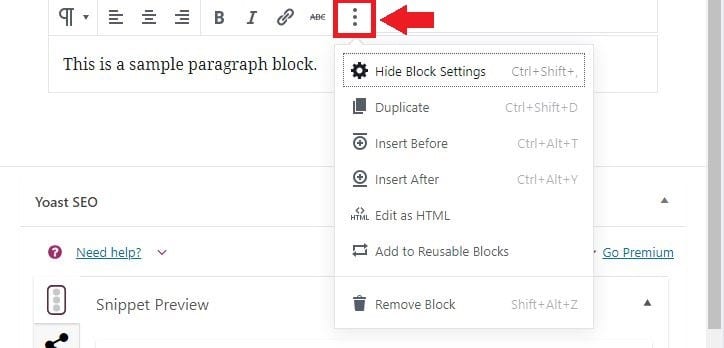
For even more settings, click the 3-dot icon at the end of the row of options.
There is also a right sidebar that has additional formatting options to customize your content by block: alignment, font size, background color, and text color. Click the down arrow by Text Settings and Color Settings to see the additional options. Many blocks have extra settings that are only found in this area.
