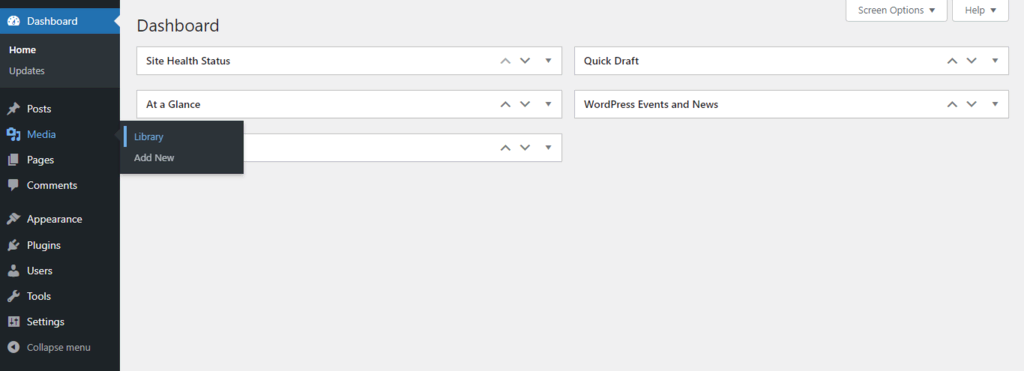
There are many ways to add alt tags to images. The main way is to login to your dashboard then go to Media -> Library on the left black navigation menu.
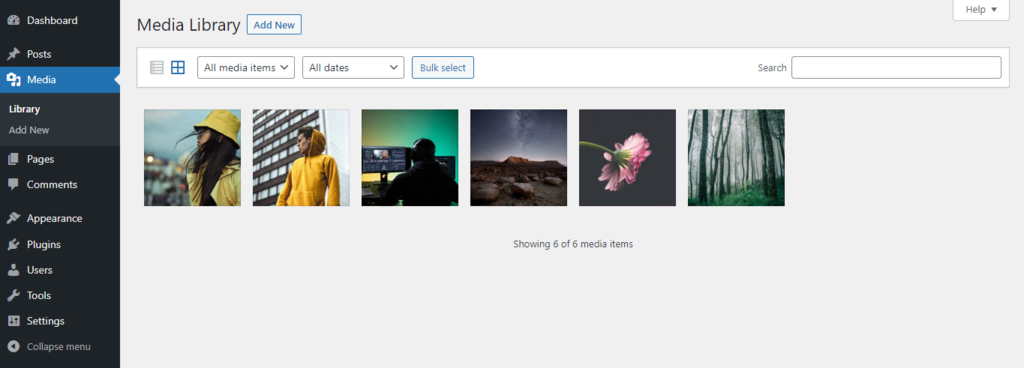
Once you are in the Media Library, click on the image you want to add the alt tag or description to.
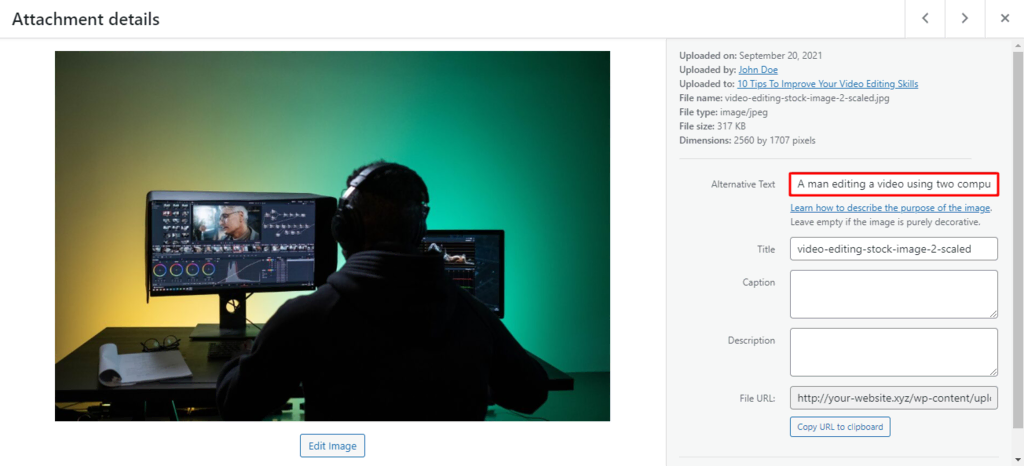
Find the Alternative (Alt) text field on the right-hand side of the Attachment details window. In this window, you can also edit other image attributes, such as the image title tag, caption, and description. Click off the field once finished so the input will be saved.